
Review while the stores approve 1.1.12
Five steps, then book
Walk this while iOS 1.1.12 is in App Store review. Android 1.1.12 is already on Play production. Open the app, chat or tap, then pick a flight. Fares on the cards are Anamaya IDR for Jakarta to Singapore on 24 Sep 2026. Singapore had no hotel that day, so the stay step stays empty. Type only when a card is not the one you want. Maya thinks first, then answers.
- Sign in with mobile phone, work email, and password (number must match Anamaya).
- Approvals that need you are on the chat home. Tap the card.
- Maya restates where, when, stay or not, and requests — then shows flight cards.
- Choose by tapping the card, or by sending the flight code.
- One review, then approval. The e-ticket opens in the app.
- 01
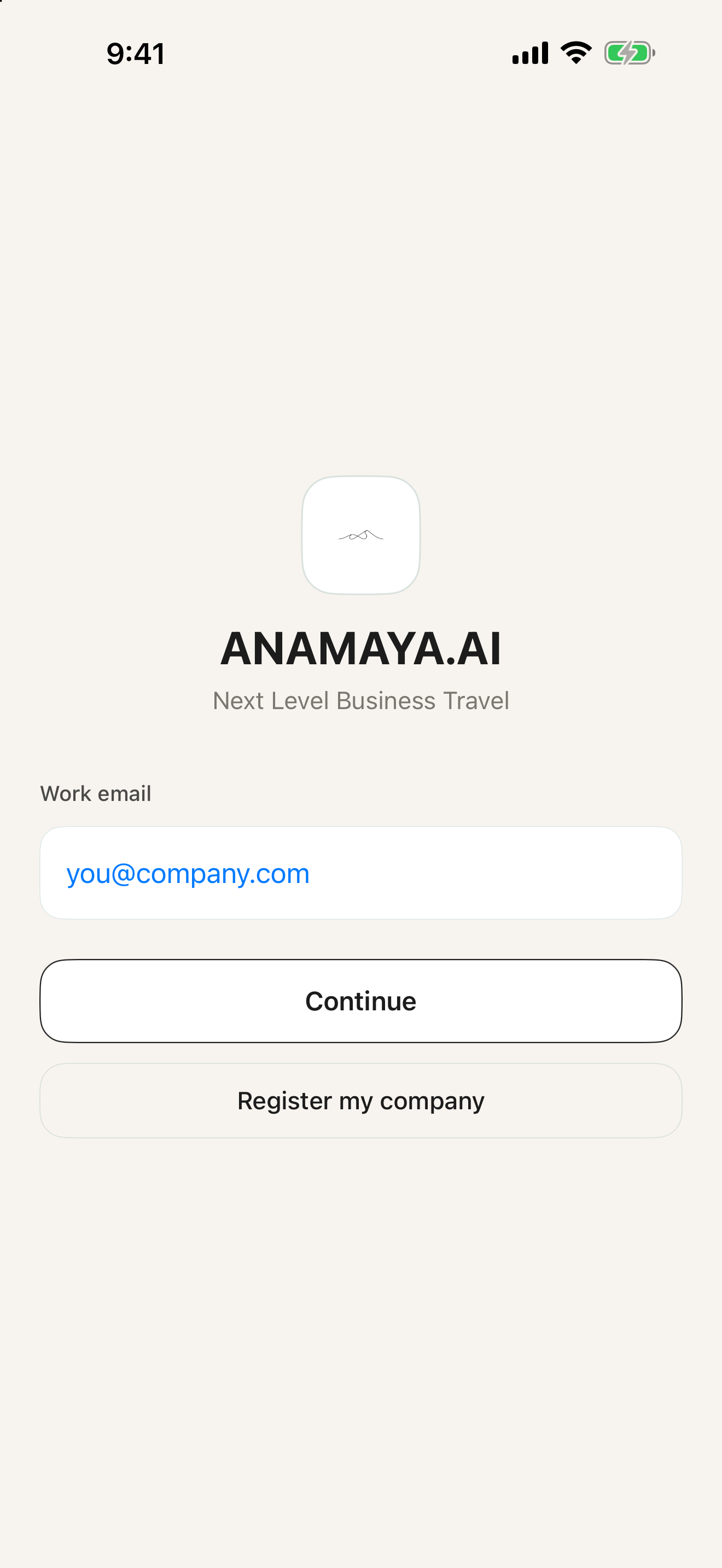
Work email
Open the app and enter your mobile phone, then work email and password. Register the company only if it is not on Anamaya yet.
Check. Sign in with mobile phone, work email, and password. The number must match the Anamaya profile or login is blocked.
- 02
Chat, or tap
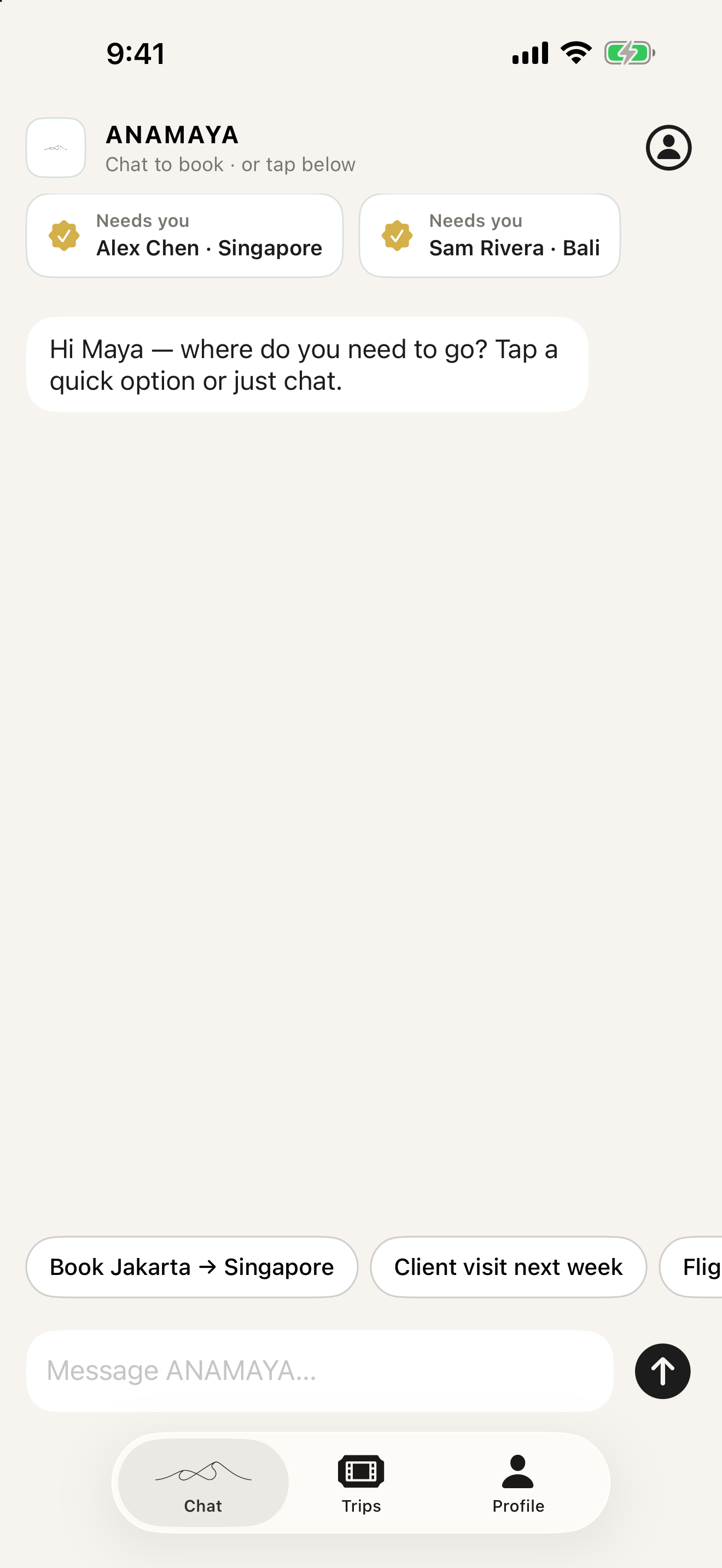
The home screen is the chat. Type a trip or tap a shortcut. Anything waiting for approval sits at the top — tap the card.
Check. You should not have to leave chat to start a booking or to open a request that needs you.
- 03
Trip, then flight cards
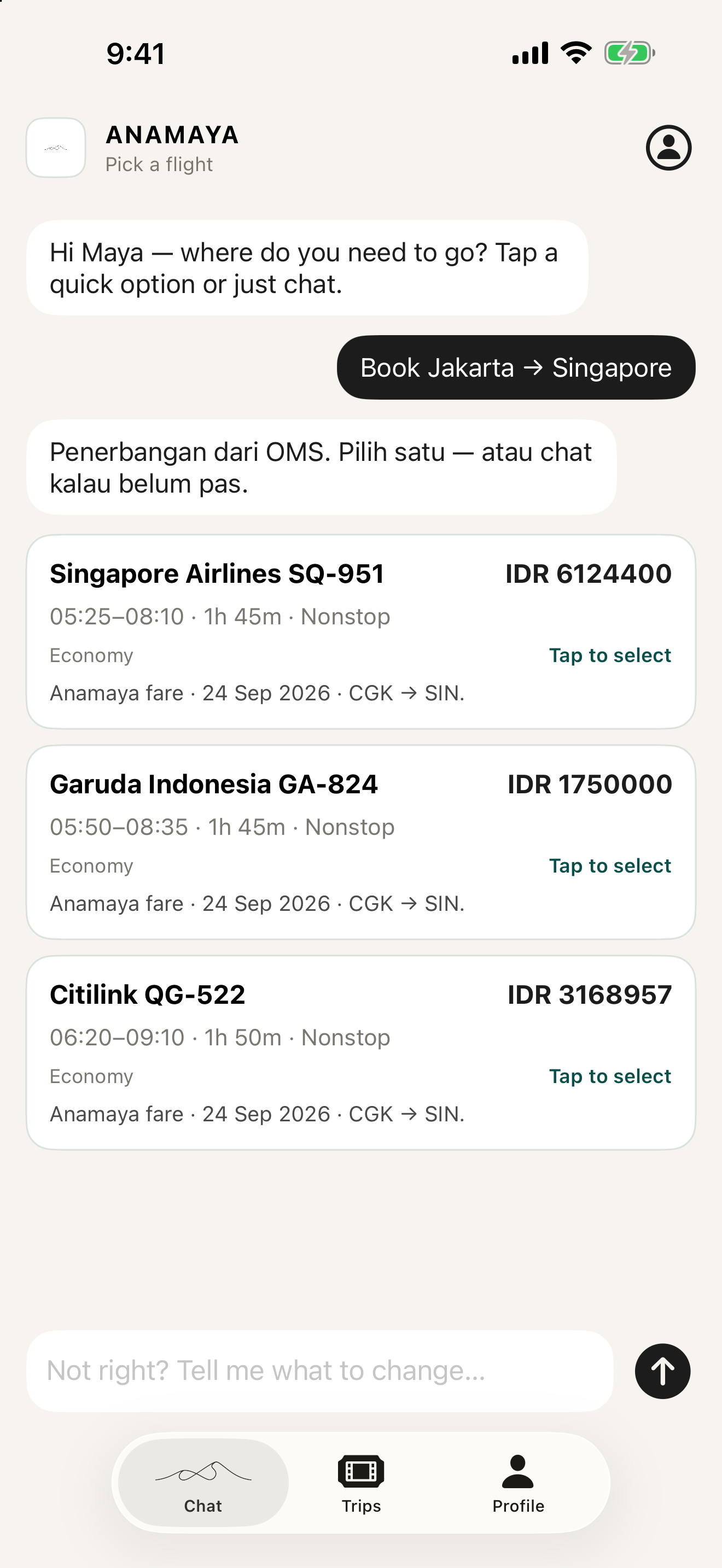
Before search, Maya restates where, when, preferences, whether you need a hotel, and any requests. Flights then come back as cards, not a plain list.
Check. Tap a card, or send the flight code (SQ-951, GA-824, or QG-522). These are Anamaya one-way fares for 24 Sep 2026, CGK to SIN: IDR 6124400, IDR 1750000, and IDR 3168957.
- 04
Hotel cards, with photos
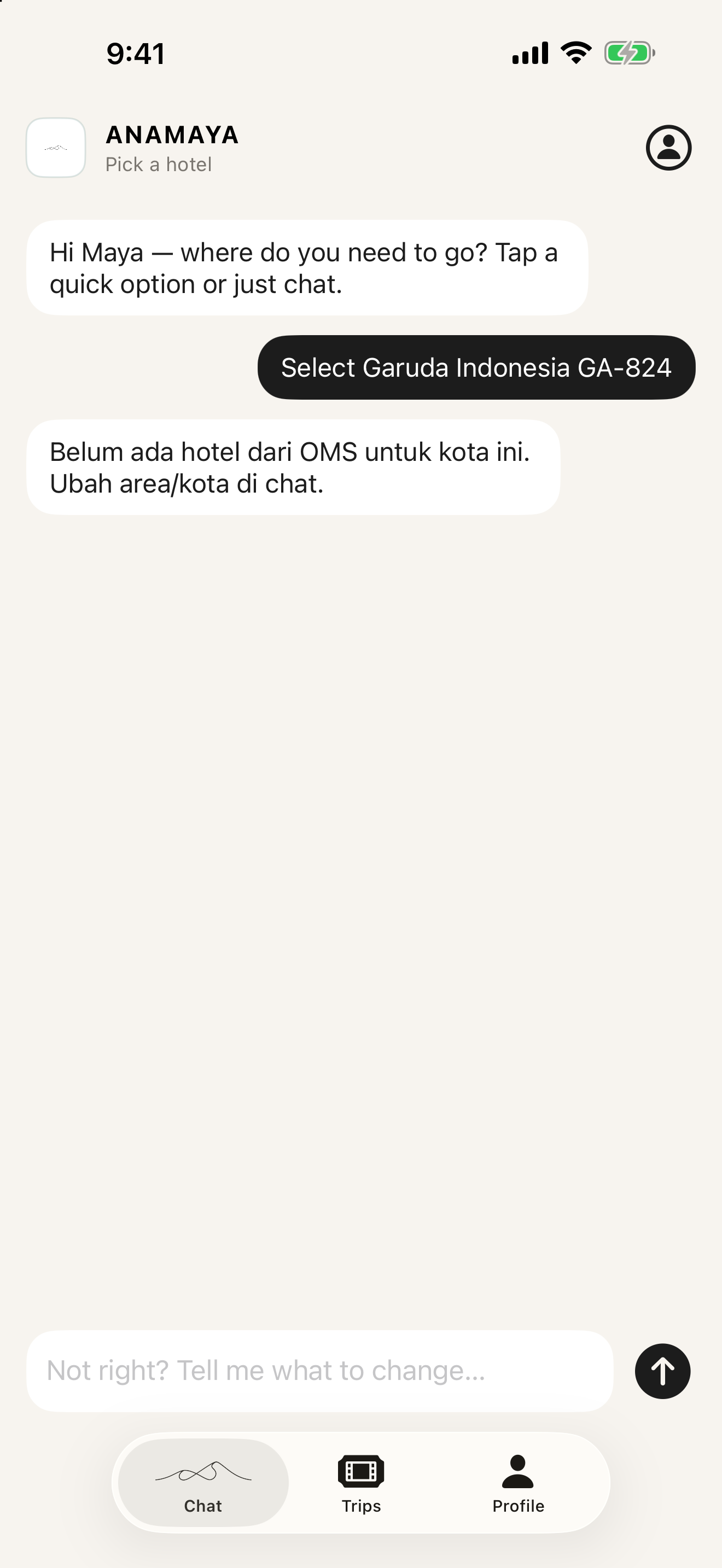
Hotels use the same card pattern when Anamaya has a stay. For this Singapore date it returned none, so the thread says so instead of showing a sample rate.
Check. No nightly rate is invented. If the city or dates are wrong, say so in the chat.
- 05
One review, then book
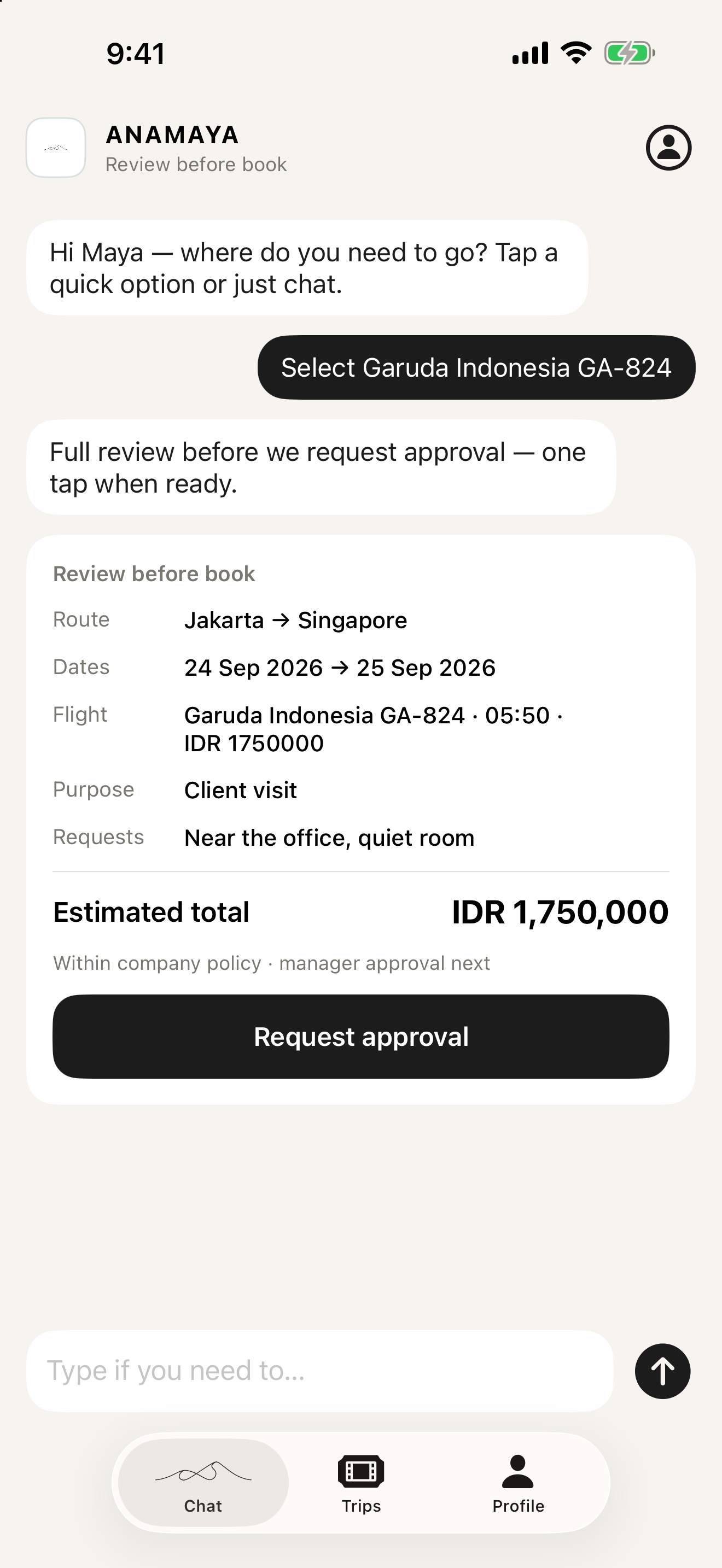
One card covers route, dates, the chosen flight, purpose, requests, and the total. One tap requests approval. There is no hotel line because Anamaya had no Singapore stay.
Check. Nothing is booked before this card. The total is the Garuda fare, IDR 1750000. After Anamaya accepts it, the e-ticket opens in the app from Trips.
Ready to try it?
On Google Play and the App Store. Or open the chat assistant on the web.