
WhatsApp · Instinct-density options
Scan flights like Instinct. Book like Maya.
Live simulation of the corporate WhatsApp path: trip summary first, then multi-line flight options with arrival times and grounded bags. We keep ≤3 options, IDR, and tappable Ya, cari / Pilih opsi — and borrow Instinct’s scan hierarchy without faking screenshot cards.
- ADR-001: confirm the summary with Ya, cari before inventory search.
- Options show airline · price, then dep→arr · duration, then cabin · bags.
- List-row skim (P1) keeps tap ids as Pakai opsi N on the real WA gateway.
- True logo cards wait for Meta Cloud API (P2) — not Baileys.
- 01
Summary first
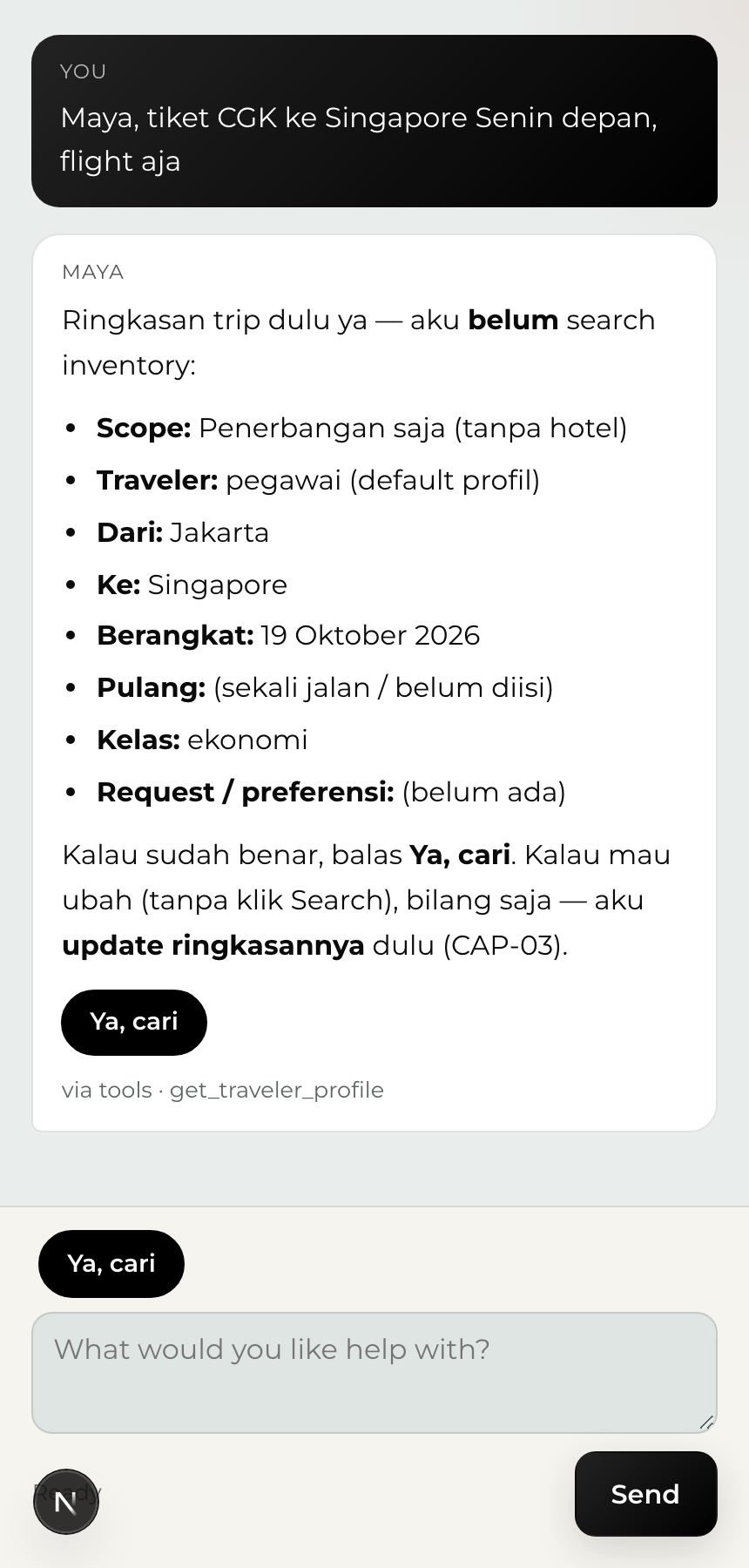
Before any inventory search, Maya restates the trip — scope, cities, date, cabin — and waits for Ya, cari. Same ADR-001 spine as WhatsApp.
Check. No flight list appears until the traveler confirms the summary.
- 02
Instinct-density options
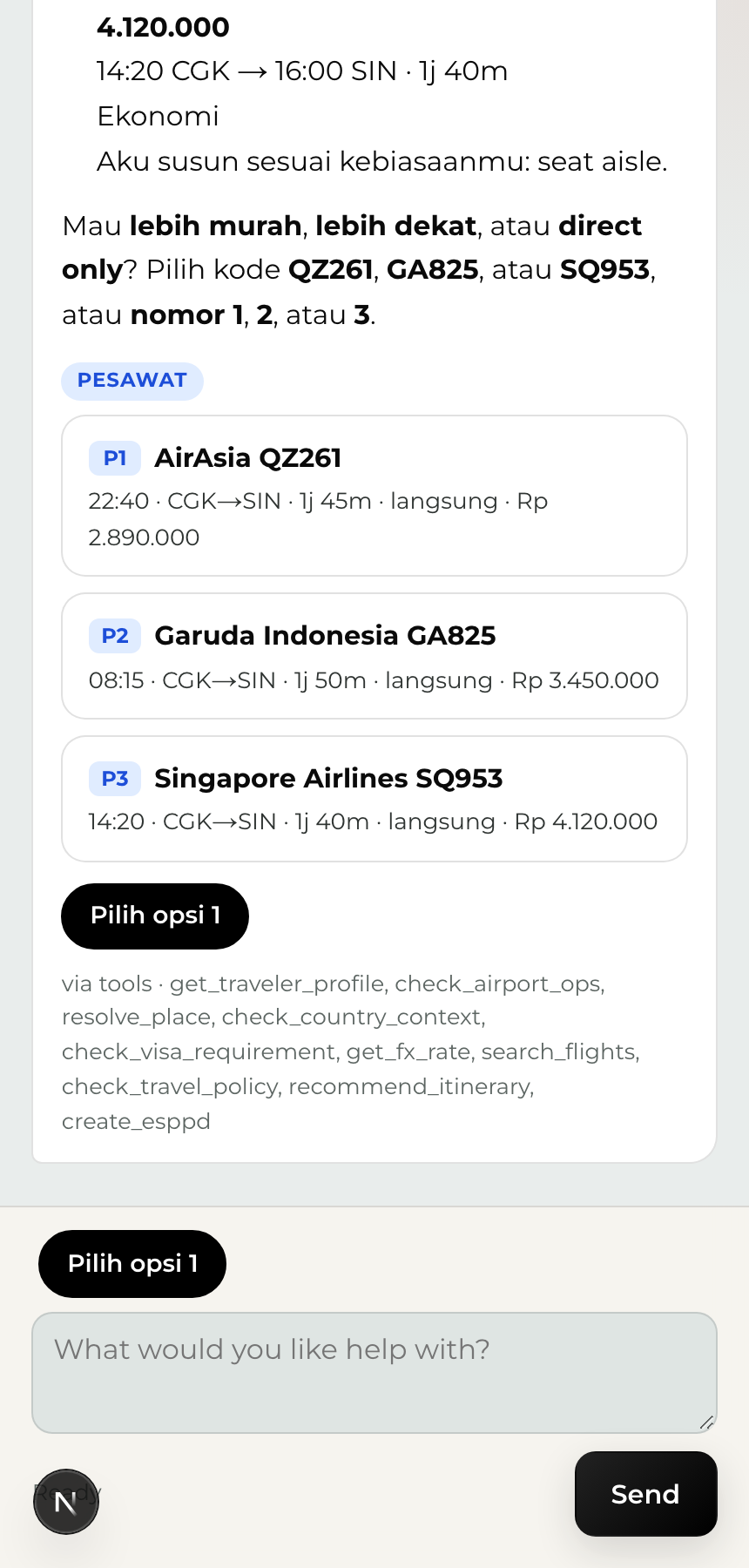
After search, flights come back as scan-friendly rows: airline and price, then dep→arr and duration, then cabin and bags when OMS has them. Tap Pilih opsi N or type the number.
Check. CGK→SIN stub demo: AirAsia, Garuda, Singapore Airlines with arrival times — not a middot soup.
- 03
What we borrowed from Instinct
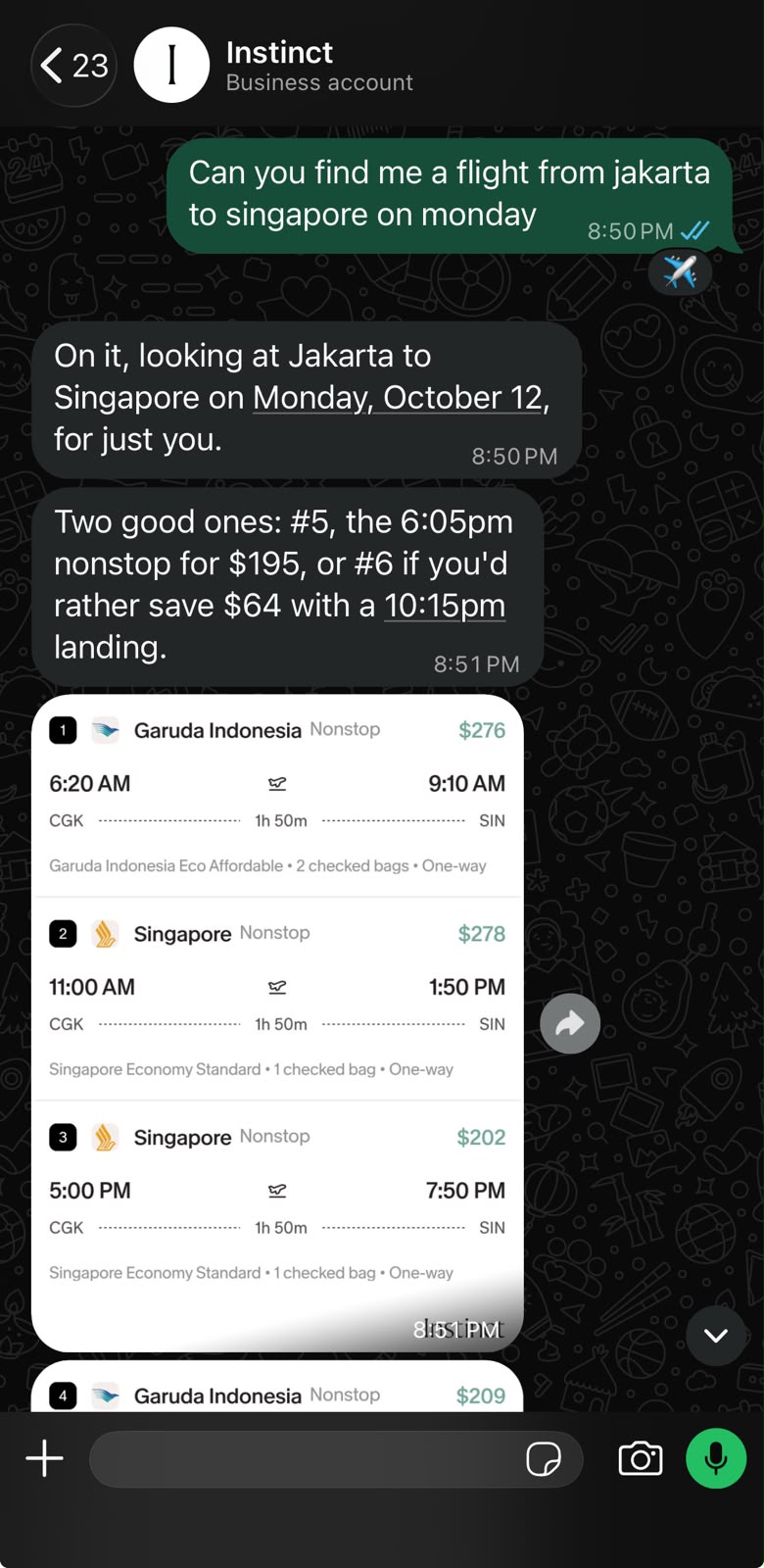
Instinct’s leisure WA cards put price, times, and bags where the eye lands first. Maya keeps corporate IDR, ≤3 options, and summary-before-search — and steals that scan hierarchy in text + list skim.
Check. Reference shot from Anamaya AI Team chat (Instinct Business, CGK–SIN).
- 04
Tappable actions stay Maya
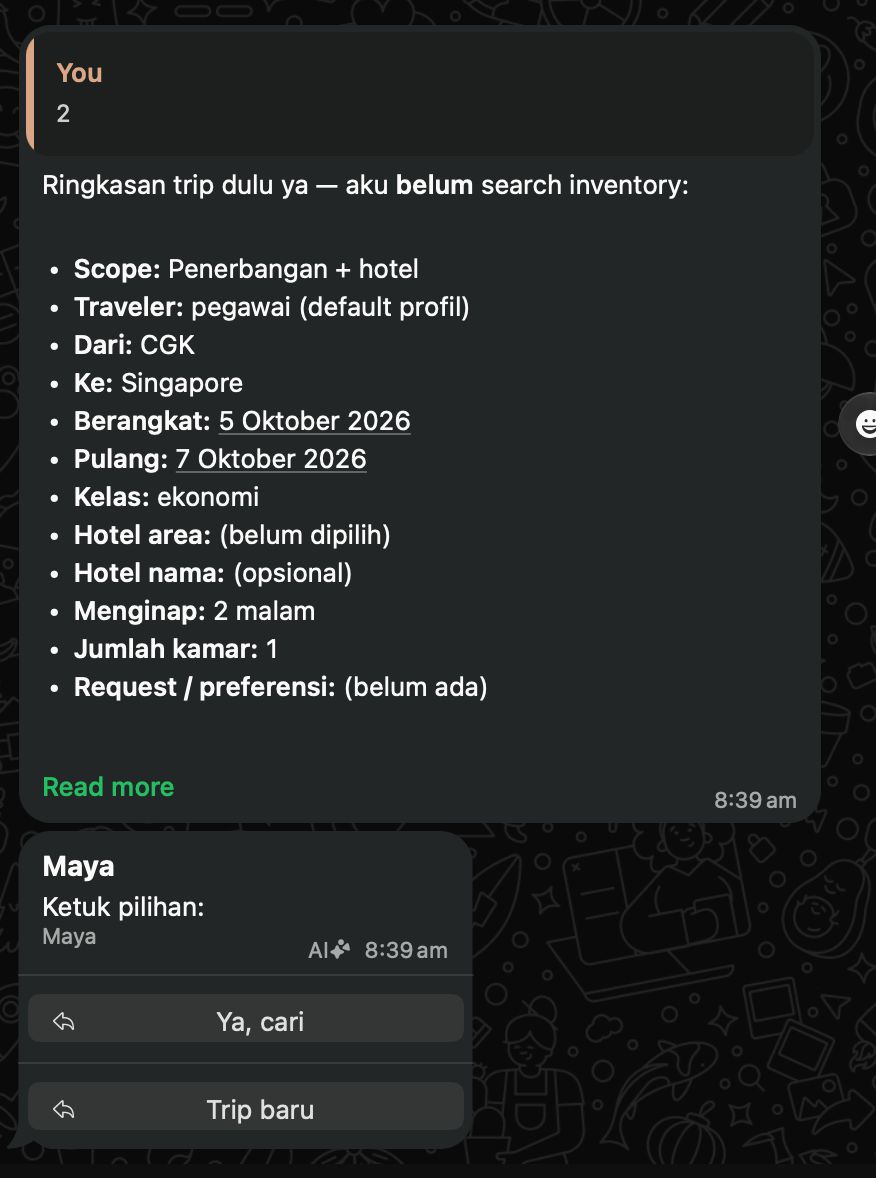
Reply buttons and lists still carry Ya, cari / Pilih opsi N / Trip baru. List rows now skim the flight; the tap id stays the full menu label.
Check. Action layer Maya already won — presentation layer is what we upgraded.
Try it on WhatsApp
Link your number, or open the web workspace and run the same guest chat.